Appearance
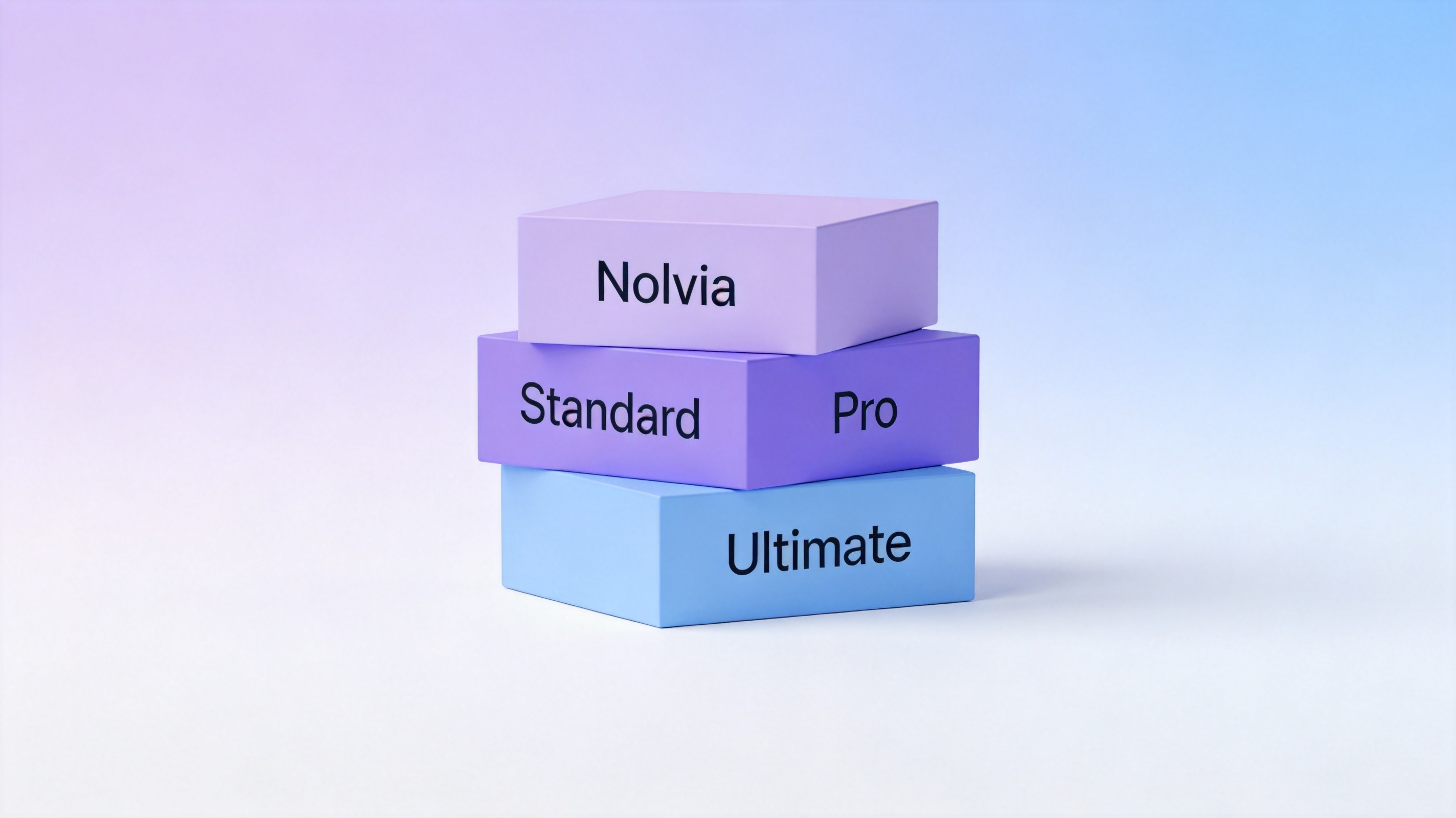
Nolvia Pricing Tiers Explained: Standard vs Pro vs Ultimate (2026)
Picking the right AI subscription tier is trickier than it looks. Pay too little and you hit the cap halfway through the month. Pay too much and you're wasting budget on capacity you'll never use. With points-based platforms, the math gets even more nuanced — different models consume points at wildly different rates.
Nolvia uses a three-tier structure: Standard at $15/month with 45,000 points, Pro at $30/month with 100,000 points, and Ultimate at $60/month with 200,000 points. Each tier doubles the points for less-than-double the price, which means the per-point value improves as you go up. But that only matters if you actually use the points.
This guide breaks down each tier in plain language — what you get, who it's for, and when it makes sense to upgrade. You'll also find a point-usage breakdown by model type and a decision framework for picking your tier.
Table of Contents
- How the Points System Works
- Standard Tier: $15/month, 45,000 Points
- Pro Tier: $30/month, 100,000 Points
- Ultimate Tier: $60/month, 200,000 Points
- Tier Comparison at a Glance
- How to Choose Your Tier
- Money-Saving Tips
- FAQs
- Related Articles
How the Points System Works
Before diving into the tiers, it's important to understand how points actually get consumed on the platform. Unlike flat-rate subscriptions where you pay once and use as much as you want (within fair-use limits), points-based platforms assign a cost to every model interaction.
Text models are the most efficient. A standard conversation with GPT-5.6 or Claude Opus 5.5 costs a small number of points per interaction. For reference, heavy text users — people who chat with AI all day for writing, analysis, and coding — might burn through a few thousand points in a month, not tens of thousands. Short quick prompts cost even less.
Image models sit in the middle. Generating an image with Midjourney V8.2, FLUX.2, or GPT Image 2.5 costs more points than a text conversation, but still modestly enough that 45K points supports a reasonable volume of images each month. The exact cost varies by model and resolution, but you can think of image generation as roughly an order of magnitude more expensive than text per output.
Video models are the most expensive. Sora 2 and Veo 3.1 each consume a substantial number of points per generation. Video is still the most compute-intensive AI modality, and the point pricing reflects that. A few dozen video clips can rival the cost of a full month of text conversations.
The key advantage of a points system is flexibility. You're not locked into a fixed allocation of "X text messages plus Y images." If one month is all text and the next is heavy on visuals, your point pool adapts. There's no wasted capacity from features you don't use.
For context on how this model compares to paying for individual subscriptions separately, our analysis of AI aggregator vs individual subscriptions walks through the cost math in detail.
Standard Tier: $15/month, 45,000 Points
The Standard plan is the entry point. At $15 per month, it's cheaper than most single-model AI subscriptions and gives you access to the full model roster — every text model, every image model, and even the video models. The difference is the point budget.
Who It's For
Standard works best for casual users, students, and professionals who dip into AI occasionally rather than relying on it all day. If you use AI for a few hours a week — drafting emails, brainstorming ideas, generating the occasional image — 45K points is probably more than enough.
It's also a great way to test the platform before committing to a higher tier. You get full access to every model, so you can figure out what you actually use and upgrade with data rather than guessing.
What You Can Do With 45K Points
Here's a rough sense of what 45,000 points supports in a month:
- Text-heavy usage: Hundreds of extended conversations with GPT-5.6, Claude Opus 5.5, or DeepSeek V4. For pure text users, 45K points can last an entire month even with daily use.
- Mild image use: Dozens of image generations with Midjourney V8.2 or FLUX.2. If you generate a handful of images per week, the Standard plan handles it fine.
- Occasional video: A smaller number of video generations with Sora 2 or Veo 3.1. Video is the heaviest consumer, so 45K points gives you a taste but not heavy production.
- Mixed use: A balanced mix of text, images, and short videos — think a few dozen text sessions, a dozen images, and a couple of video clips.
When You'll Outgrow It
You'll know it's time to upgrade when you consistently run out of points before the month resets. Common signals: you start rationing your image generations, you avoid video because it's too point-heavy, or you find yourself using cheaper text models when you'd prefer the flagship. If you're hitting the wall in the second or third week of the month on a regular basis, the Pro tier is the next logical step.
Pro Tier: $30/month, 100,000 Points
The Pro plan doubles the price of Standard but more than doubles the points, jumping from 45K to 100K. That's better per-point economics — you're getting more than twice the capacity for twice the cost.
Who It's For
Pro is the sweet spot for most serious individual users. Freelancers, content creators, consultants, and developers who use AI as a daily work tool land in this tier. You're generating significant volume every week but not operating at team scale.
This is also the tier where the platform starts to genuinely replace multiple individual subscriptions. If you're currently paying for ChatGPT Plus ($20) and Midjourney Standard ($30) separately, the Pro plan at $30 gives you both plus Claude, Gemini, video models, and everything else in one place.
What You Can Do With 100K Points
- Heavy text use: Thousands of text interactions across any model in the roster.
- Regular image work: Hundreds of image generations — enough for a full-time content creator.
- Moderate video production: A meaningful number of video clips each month.
- Full-spectrum workflow: A content creator can go from research to writing to visuals to video entirely within the platform.
When to Upgrade to Ultimate
The upgrade from Pro to Ultimate makes sense when you're consistently approaching the 100K point ceiling. Teams of two people sharing a Pro plan often find themselves bumping up against the limit. Heavy video users or power users who generate large volumes of images can also exhaust 100K points in a month.
A good rule of thumb: if you've run out of points two months in a row and you're using them productively, it's worth stepping up. The jump to 200K points gives you breathing room and better per-point economics.
Ultimate Tier: $60/month, 200,000 Points
The Ultimate plan is the top tier — 200,000 points for $60 per month. Again, the per-point value improves: you get double the points of Pro for only double the price, maintaining the same favorable economics as the previous step-up.
Who It's For
Ultimate is built for two groups: power users and small teams.
Power users are people who genuinely push massive volume through AI every month — video creators, heavy image producers, developers who run marathon coding sessions, and researchers who process huge document sets. For these users, 100K points starts to feel restrictive, and the 200K pool gives them room to operate without constantly monitoring their usage.
Small teams get even more value. The Ultimate plan supports shared workspace access, so a team of 2-5 people can split the 200K point pool. At $60/month total, that's $12-30 per person — cheaper than most single-model subscriptions, and you get the full multi-model platform.
What You Can Do With 200K Points
- Virtually unlimited text: Even the heaviest text-only users will struggle to burn through 200K points.
- Heavy image production: Hundreds of image generations per month.
- Serious video work: A substantial video budget.
- Team throughput: Multiple users working across text, image, and video every day.
Is Ultimate Overkill?
It can be. If you're an individual user who mostly works with text and generates the occasional image, 200K points is probably more capacity than you'll ever use. The Pro tier at half the price covers most individual professional workflows. Upgrade to Ultimate when you have data showing you actually need it — not because "more is better."
Tier Comparison at a Glance
| Standard | Pro | Ultimate | |
|---|---|---|---|
| Price | $15/month | $30/month | $60/month |
| Monthly points | 45,000 | 100,000 | 200,000 |
| Per-point value | Base | Better | Best |
| Text models | All included | All included | All included |
| Image models | All included | All included | All included |
| Video models | All included | All included | All included |
| Best for | Casual users, testing | Individual pros | Power users, small teams |
| Typical text volume | Daily light use | Heavy daily use | Very heavy / team use |
| Typical image volume | Occasional | Regular | Heavy / team production |
| Typical video volume | Experimental | Moderate | Serious production |
How to Choose Your Tier
The right tier depends on three factors: how you use AI, how much volume you push, and whether you're working alone or on a team. Here's a decision framework.
Start by estimating your monthly text volume. If you use AI for a couple of hours a day for writing, coding, or analysis, you're probably a light-to-moderate text user and the Standard tier's 45K points will cover it easily. If you're in AI tools all day, every day, lean toward Pro.
Factor in image and video use. This is where most people underestimate their consumption. Be honest about how many images you generate per week and how often you try video. If you produce 10+ images a week and regularly experiment with video, Pro is the minimum and Ultimate may be worth it.
Consider team usage. Sharing a single subscription with 2-3 colleagues changes the math entirely. Even Standard with 45K points split three ways is tight. Pro works for a pair of moderate users. Ultimate is the sweet spot for 2-4 person teams that use AI daily.
Track your first month and adjust. If you're unsure, start with Pro. It's the most flexible middle tier — enough points for almost any individual user, and you'll get a clear picture of your actual consumption. If you end the month with 60K points left over, drop to Standard. If you run out with a week to go, upgrade to Ultimate.
Money-Saving Tips
Getting the most out of your subscription isn't just about picking the right tier — it's about using points strategically.
Match the model to the task. You don't need a flagship model for every task. Quick fact-checking, simple formatting, and basic brainstorming work fine on lighter models that consume fewer points. Save the heavy hitters for tasks where they make a real difference.
Plan video and image batches. If you know you'll need a set of images for a project, generate them all in one session rather than spreading them out. This helps you stay aware of your total spend and avoid usage creep.
Leverage the higher tier's better economics. The per-point cost decreases as you move up tiers. If you're consistently using more than 45K points, upgrading to Pro gives you better value even if you don't need the full 100K. The same logic applies to the Pro-to-Ultimate jump.
Share a team plan. If you work with even one other person, splitting a higher-tier subscription is almost always cheaper than two individual plans. The Ultimate tier's 200K points divided two ways gives each person 100K points — the Pro level — for $30 each.
If you're weighing whether an aggregator makes financial sense compared to stacking subscriptions, our guide to the best AI aggregator platforms in 2026 includes a detailed cost comparison.
 Choose Your Nolvia Plan
Three tiers to match your AI usage: Standard at $15/month, Pro at $30/month, and Ultimate at $60/month. All include 40+ text, image, and video models in one web workspace.
FAQs
How much does Nolvia cost per month?
There are three tiers: Standard at $15/month with 45,000 points, Pro at $30/month with 100,000 points, and Ultimate at $60/month with 200,000 points. All tiers include the full roster of text, image, and video models.
What are points and how do they work?
Points are the platform's internal currency. Every AI interaction — a text conversation, an image generation, a video clip — consumes a certain number of points based on the model and the complexity of the request. Different models have different point costs. Your points reset each billing cycle.
Which tier should I start with?
Most people should start with the Pro tier at $30/month. It gives you 100K points — enough for heavy daily use across text, images, and moderate video — and it's the best value tier for individual professional users.
Can I use the platform on my phone?
The platform is a pure web-based workspace. You can access it through any modern browser on your phone or desktop — no downloads, no installations, no separate apps required. It's built for end users, not developers, so there's also no API available.
Do points roll over to the next month?
Points are tied to your monthly billing cycle. They reset each month on your renewal date. Any unused points from the previous cycle don't carry over. If you consistently end the month with points left over, you're probably on a tier that's higher than you need.
Ready to Pick Your Plan?
The best way to figure out which tier fits you is to start using the platform and see where your actual usage lands. You can explore the full model lineup and sign up at nolvia.ai.
Whether you're a casual user dipping your toes into multi-model AI or a power user who needs 200K points of monthly capacity, there's a tier designed for your workflow.